Introduction
API Reference contains all the essential documents on technical specifications, process flows, resources and available tools to configure and implement the LoginRadius platform to meet your business requirements. This comprehensive guide will assist you in incorporating the various platform feature offered by the LoginRadius solution.
The navigation menu on the left breaks down the reference guide into these main topics: Getting Started, Admin Console, Deployment, LoginRadius Customer Identity API, Cloud Directory API, Single Sign-On, Integrations, Troubleshooting, and Announcements. These sections contain the relevant documents along with a general overview and easy-to-understand instructions. Many of these documents also have graphics and diagrams to assist you in understanding the various workflows and features of the LoginRadius Platform.
Here is a brief summary for each section:
-
Getting Started has an introduction to our various implementation methodologies, an overview of the recommended Security Best Practices, and details on the data point structure, data storage and response/error codes. It also describes how to use Postman to make calls to LoginRadius APIs.
-
Admin Console provides an overview and instructions on how the different features can be configured from the Admin Console.
-
Deployment explains the methodologies and tools like JS Libraries, mobile and web SDKs etc. to implement the LoginRadius solution onto your application. It also includes use cases and links to demos.
-
** LoginRadius Customer Identity API** provides information on LoginRadius APIs that manage various workflows related to customer identity. It also contains a live testing HTTP tool with instructions on how to make API calls. This tool makes it easy to test, develop and document APIs by allowing make simple and complex HTTP requests.
-
Cloud Directory API describes the LoginRadius Cloud Directory system and APIs. These APIs are used to retrieve your entire user database records to generate an aggregate view of your user base.
-
Single Sign-On outlines the methodologies and tools available to unify your user base across all your web properties or third party applications.
-
Integrations cover the various ways of integrating third party applications with the LoginRadius platform to leverage user data among applications.
-
Troubleshooting provides details on troubleshooting the types of errors that may occur during implementation.
-
Announcements post updates from LoginRadius and various other third-party platforms on changes that may affect your applications.
##API Documents
The API documents are organized according to the HTTP methods: POST , GET , DEL ,and PUT. The layouts for each API document of these methods are similar, intuitive and easy-to-use for making API calls.
Layout
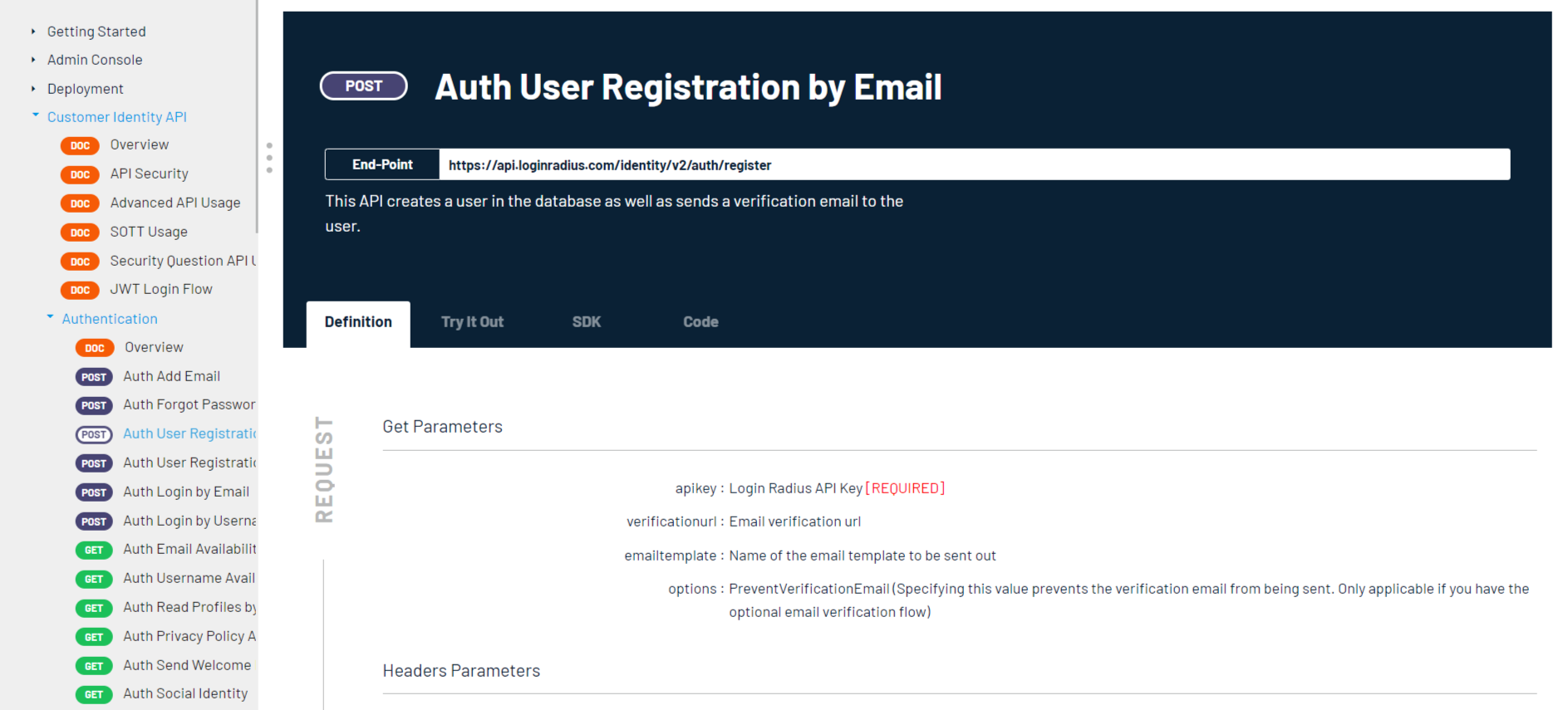
Every API document shows a header and a body section with three tabs: Definitions , Try it Out and Code. The header section displays the API title and API end-point for each request.
Definitions
The Definitions tab is divided into two sections: Request and Response.
-
Request : This section shows all mandatory and optional Get/Post Parameters and Headers to include in HTTP request when making LoginRadius API calls.
-
Response: Output format under Response displays the expected data points in JSON format in LoginRadius API response.
Try It Out
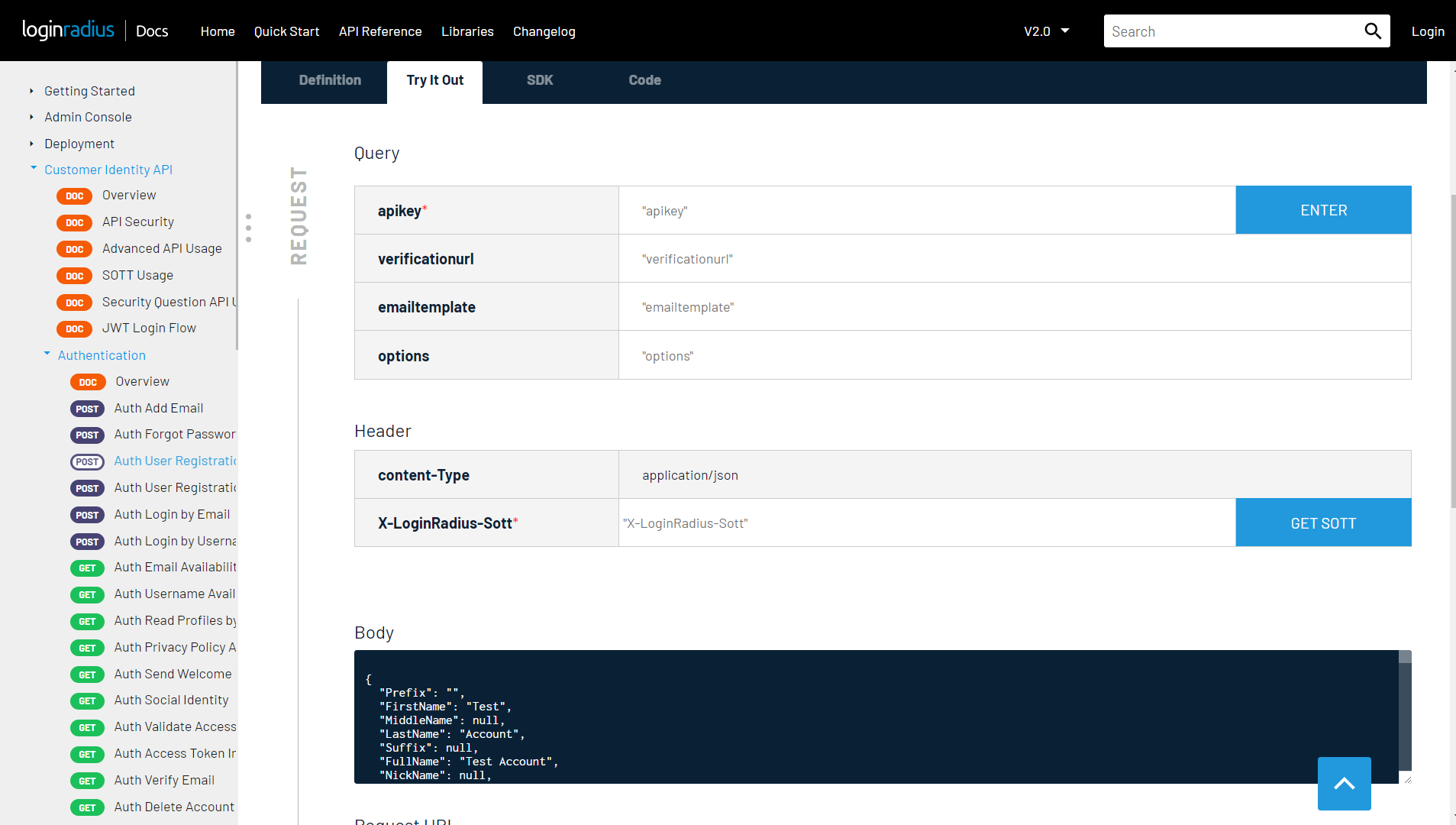
Try It Out provides a testing tool to make HTTP calls to LoginRadius APIs for your application. It is broken into request and response to match the Definitions tab.
In the Request, enter information into the fields, as detailed in the Definitions tab. Once you send the request, a response will appear in the Response area.
In the response section, the Request column shows request parameters sent in the HTTP request to the LoginRadius API and response column displays the details of the response received from HTTP call to the API. If the request fails, it will show an error code as part of the response and a description of why it failed. You can get details on the LoginRadius error codes and some suggestions to resolve them in the Response/Error Codes section.
You can also manage and test LoginRadius APIs in Postman. To export LoginRadius API to Postman, click Run in Postman in the right bottom of the page. You can find more details on export API to Postman here .
Code
You may want to make the same HTTP request to LoginRadius API from your own application. Code tab generate snippets of code in various languages and frameworks. Click the Select Language dropdown menu to select your programming language. Some languages have multiple frameworks options. Click 'Copy to Clipboard' icon on the right top corner to copy the code.
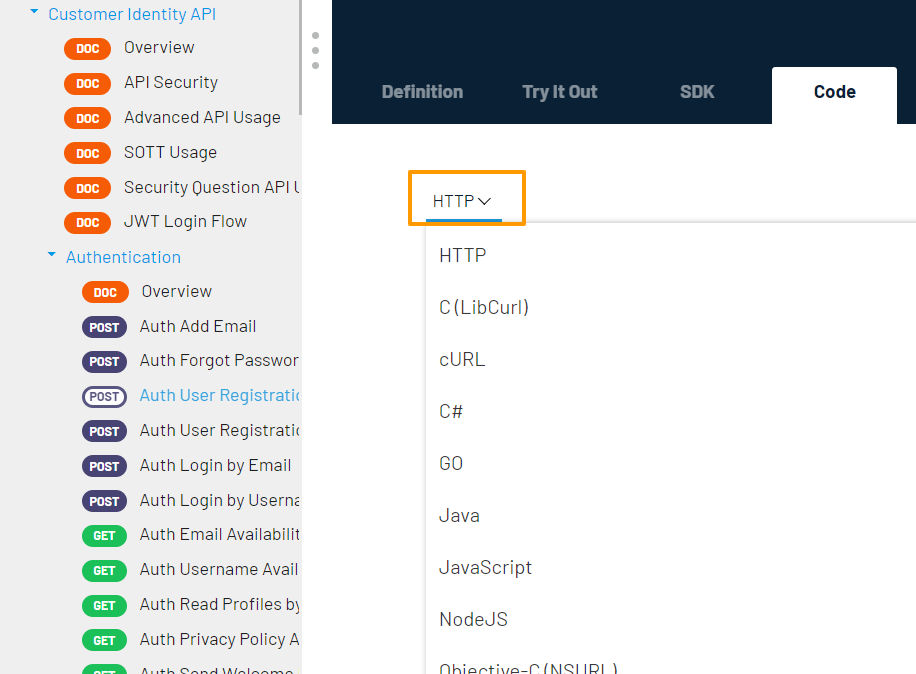
We support the following programming languages:
| Language | Framework |
|---|---|
| HTTP | None (Raw HTTP request) |
| C | LibCurl |
| cURL | None (Raw cURL command) |
| C# | |
| Go | |
| Java | OkHttp |
| Java | HttpURLConnection |
| JavaScript | jQuery AJAX |
| JavaScript | Built-in XHR |
| NodeJS | Built-in http module |
| NodeJS | Request |
| NodeJS | Unirest |
| Objective-C | Built-in NSURLSession |
| PHP | Built-in curl |
| Python | Built-in http.client (Python 3) |
| Python | Requests |
| Ruby | Built-in NET::Http |
| Shell | wget |
| Shell | HTTPie |
| Shell | cURL |
| Swift | Built-in NSURLSession |