Implementation Workflows
The LoginRadius platform offers a range of implementation methodologies, enabling you to tailor user flows to your needs. Below, we will go over the various workflows, their benefits, and some useful resources for implementing the different workflows. You can choose any of these methodologies or combine features from each. If you need assistance in determining the best system for your needs, contact the LoginRadius support team for help with planning your implementation.
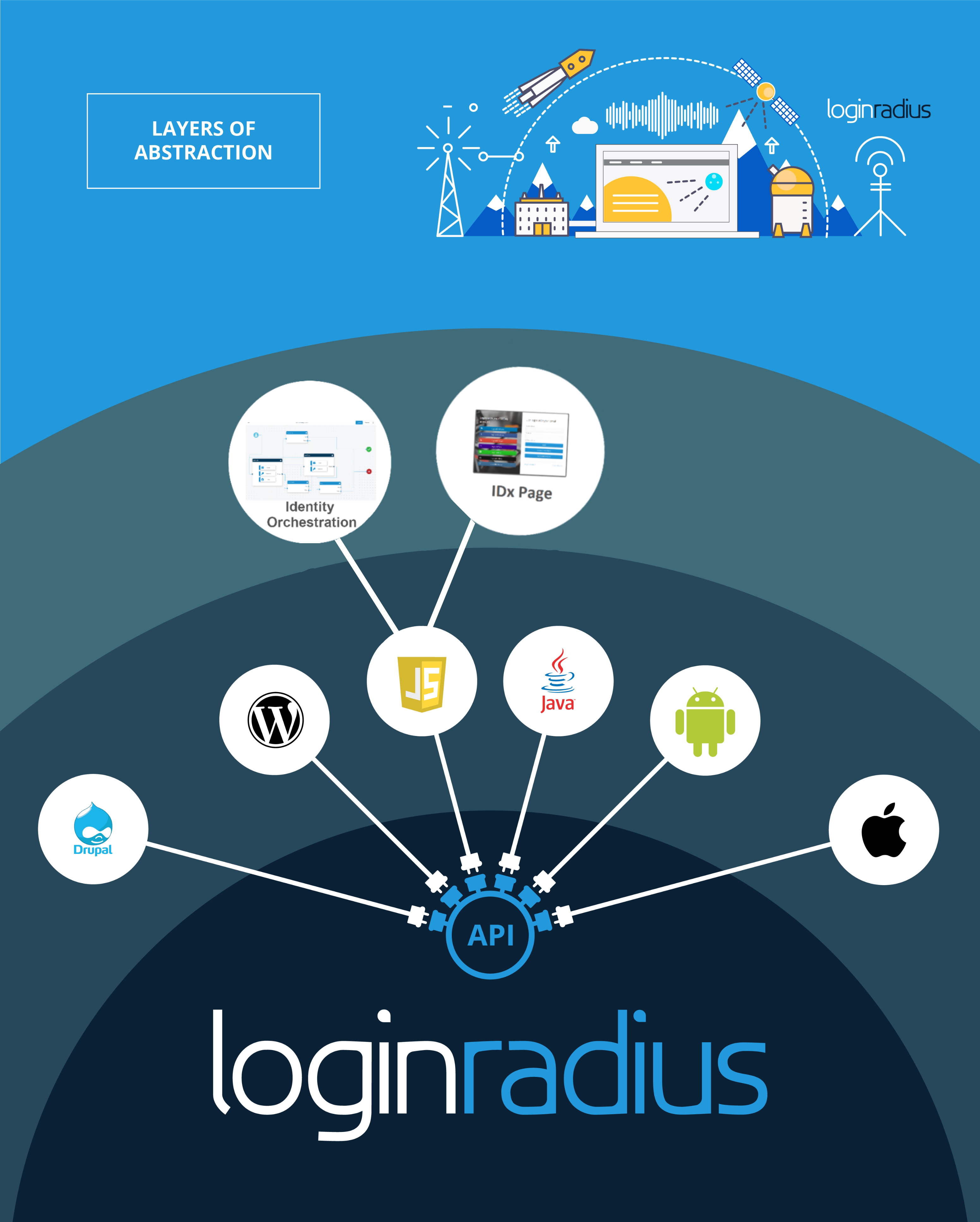
Identity Experience Framework(IDx)
The IDx allows you to set up a centralized authentication page. There are a few predefined layouts that can be further customized via your LoginRadius Admin Console, enabling you to modify various CSS, HTML, and JavaScript elements of the page. This page is hosted on a dedicated instance in LoginRadius and will relay authenticated details to a specified redirect location. It allows you to handle the customization of your interfaces in a single location, serving a wide variety of web properties without needing to update each property individually. You can review the documentation below that outlines the configuration and customization of the IDx framework.
For more information for the process of customizing the IDx use Identity Experience Framework Customizations document as a reference, You can obtain a copy of the default files from the link given in the above document and customize the interfaces by using similar flows as detailed in the JavaScript Interface workflow.
Basic Properties
- Centralized - You will be able to handle multiple sites, Login, and Registration flows in a single location and service multiple properties with a single set of styles and configurations.
- Customizable - You can customize the look and feel of your IDx framework, or you can choose to keep the default layouts on the page.
Key Benefits
-
Cut down on UI/UX design time - Utilize the classic login screen layout without the fuss.
-
Customizability - Design an interface tailored to the look and feel of your app.
-
Self-contained and straightforward front-end implementation - With the Login Screen configuration section of the Admin Console, you can create a complete login screen from start to finish.
JavaScript Interfaces
The JavaScript interface is a methodology that utilizes a set of LoginRadius maintained JavaScript files. These scripts interact with the LoginRadius servers in order to retrieve the account configurations and generate embedded interfaces directly on your web property. Implementations using the JavaScript Interface methodology allow you to quickly set up your interfaces with pre-built handling of common workflows. The following reference documents can be used to setup and configure your interfaces:
- This guide describes the basic interface initialization and configuration, as well as covers the various JavaScript options that you can use to control the logical behavior of the interfaces.
- This includes details on how to further customize the generated interfaces and allows you to fully customize the look and feel of the generated interfaces. You are able to achieve tasks such as updating labels, assigning custom error and validation messages, attaching listeners and trigger events, and enabling enhanced security features.
- Demo project - This includes a basic implementation of the LoginRadius JavaScript interfaces.
The generated interfaces come in a static format that allows you to further customize and accomplish the desired look and feel by using CSS, JavaScript, and our built-in JavaScript template engine.
Key Benefits
- Ease Of Implementation - Quick deployment of LoginRadius.
- Customizability - Tie into our predefined HTML layouts and JavaScript hooks to fully customize the interfaces.
- Limited Development - The majority of the complex functionality is handled by the scripts, which allows you to focus on branding and utilization.
API Integration
The API Integration flow allows you to create your own interfaces and tie them to the LoginRadius APIs to handle Login, Registration, Forgot Password Recovery, and other common client-side flows. You can use either the LoginRadius Authentication API to keep everything on the client side or the LoginRadius Account API to make the calls from your server. The API-based flow allows for more customization in the logical flows but is more resource-intensive during the initial implementation as you no longer have the pre-built logic that is included in the other LoginRadius Implementation Workflows. You can use the following documents to implement an API-based integration flow:
- You can use this API to create the user account in LoginRadius. This relies on a Secure Token that can be generated with the SOTT document .
- This API can be used to authenticate your users and retrieve back an access token.
- This API will trigger the Forgot Password email.
- This API consumes the token generated by the Forgot Password flows.
- This API consumes the verification token generated during the initial registration.
- This details the steps to generate the Social Login interface.
In this instance, you completely control the look and feel of the interfaces, and you also have full control over the logic and events that trigger specific actions and API calls. This is the most customizable version of the implementation but also requires the most effort to set up.
Key Benefits
- Full Customizability - Create your own forms and submit data directly to the API, with no restrictions on how you choose to display the form or process the data before submitting them to the LoginRadius API.
- Control your flows—You can add any logical flows you like and customize when and how the data is collected and submitted to the API.
Identity Orchestration (IO) Overview
Identity Orchestration (IO) in LoginRadius allows you to design and implement customized identity workflows tailored to their unique needs. With IO, you can create, test, and deploy identity workflows using pre-made templates or building from scratch in the Workflow Builder. This feature also enables you to manage brand configurations efficiently. Customization of this IO can be easily achieved using the LoginRadius Admin Console. For more information, refer to the IO overview documentation.
Key Benefits of IO
- Customizable Workflows: IO provides flexibility in creating workflows by offering templates or allowing you to design your own, ensuring a tailored customer experience.
- Ease of Management: The platform simplifies workflow management with features like search, edit, and delete, along with options to download workflows in JSON format.
- Brand Integration: IO enables seamless brand management, automatically fetching brand-specific details like logos and color themes, which can be further customized to meet specific branding requirements..
Basic Properties of IO
- Workflows can be created, tested, and edited using an intuitive editor.
- The editor supports node-based workflow construction with easy navigation and zoom options.
- Workflow URLs can be previewed, and detailed node properties are editable directly within the interface.