export-to-postman
#Postman Support
Introduction
Postman is a tool that assists with API calls and will speed up the process of API development by saving setup time on API calls after importing the calls to Postman
When you go through the API docs, there will be a button that looks like this:

Upon clicking it, it'll redirect you to a page where you can export the API calls to Postman. The API calls are divided into their respective sections.
How to Import
- Simply go to an API call link such as here
Click the button near the middle-right of the page, and import it to Postman.
Configuration
With our Postman calls, we have configured an environment for you to import.
- Click here to download the environment
- After downloading, click the gear icon near the top right corner and then click manage environments

- Then click import and direct it to the environment you just downloaded.

- Setup your API Key, API Secret, and Access Token by following these directions from these images
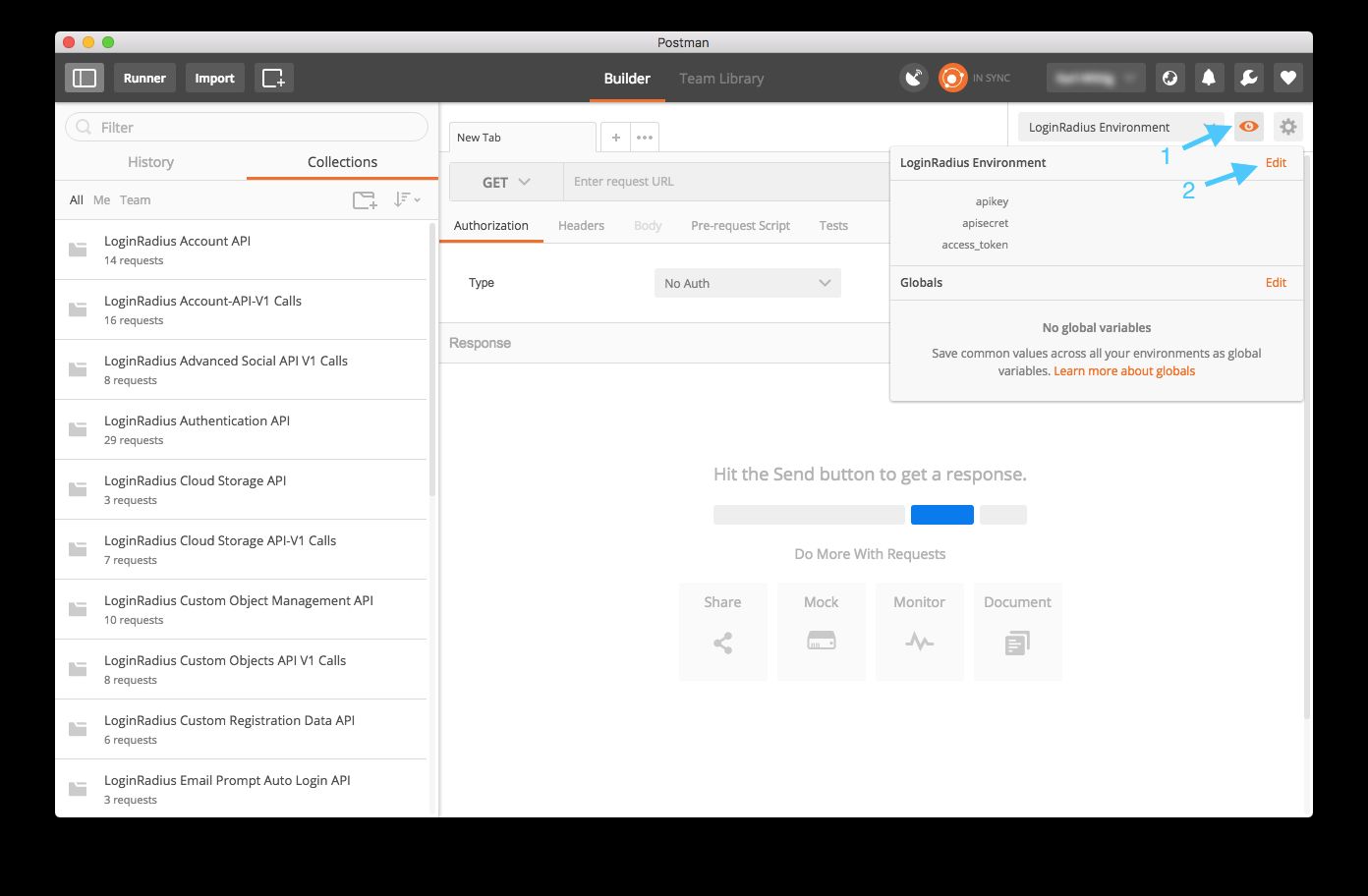

- Once your API Key and Secret are setup, you are set to run API calls.
Note: There are some API calls where the params, body, or pre-request scripts of the call will need to be changed to accommodate your API call. Remember to change the body of the call on some of them.
If it is the pre-request scripts, you should see something like
postman.setEnvironmentVariable("role", "CHANGE_THIS");
Only change the 'CHANGE_THIS' variable to the respective string